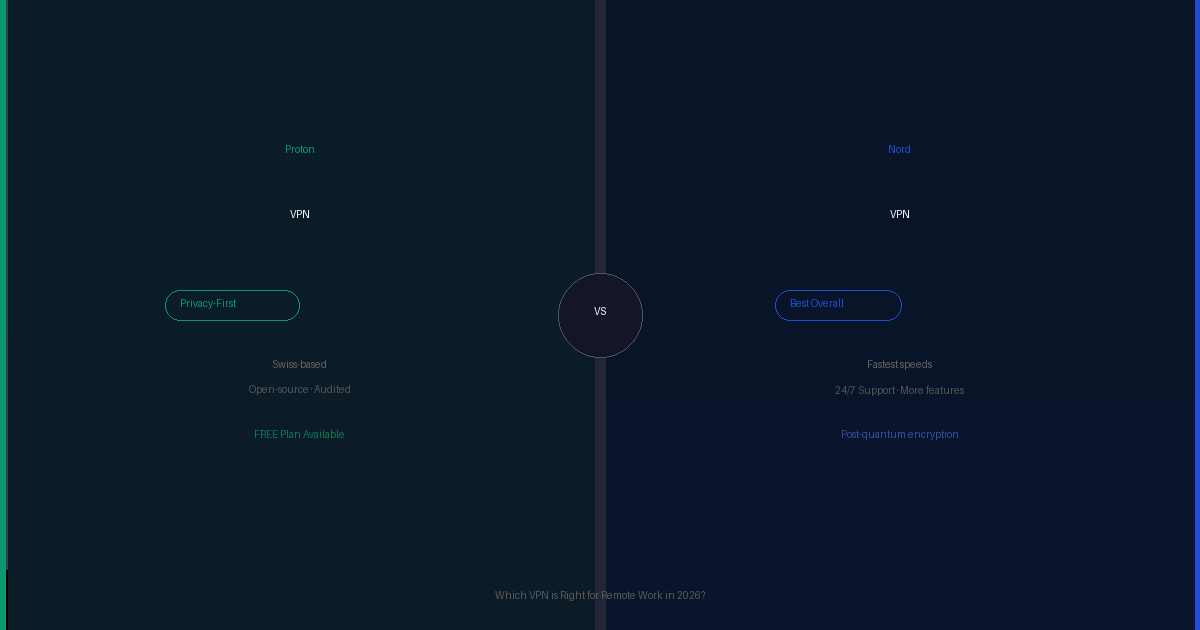
Best VPN for Remote Work in 2026 (Tested and Ranked)
A VPN is non-negotiable for remote work — the moment you connect to a coffee shop, hotel, coworking space, or any network you didn’t set up, your work traffic is exposed. A good VPN encrypts that traffic so that nobody on the network can see your client data, logins, or communications.
The problem is the VPN category is full of mediocre products with slick marketing. This guide cuts through it — three VPNs that are actually worth using for remote work, ranked honestly.
1. NordVPN — Best Overall VPN for Remote Work
- Fastest speeds — NordLynx protocol minimal impact on calls
- 6,000+ servers in 111 countries
- 10 devices on one subscription
- Audited no-logs policy
- Threat Protection blocks malware and trackers
- Kill switch included
- Monthly plan expensive at $12.99/mo
- Renewal price increases after intro period
- Some server slowdowns at peak hours
NordVPN is the VPN I recommend most often to remote workers and the one I use personally. The reason is simple: speed. Most VPNs introduce noticeable lag on video calls. NordVPN’s NordLynx protocol — built on WireGuard — is fast enough that I genuinely forget it’s running during Zoom calls and Google Meet sessions.
The 6,000+ server network means you can almost always find a fast nearby server. The 10-device limit covers your laptop, phone, tablet, and home router simultaneously. Threat Protection adds a layer of malware and tracker blocking that works even when the VPN is off.
The only meaningful downside is pricing — the monthly plan is expensive at $12.99/mo, but the 2-year plan at $3.09/mo is genuinely competitive. Don’t pay monthly.
2. Surfshark — Best for Unlimited Devices
- Unlimited simultaneous devices — no cap
- Competitive pricing on long-term plans
- Camouflage mode hides VPN use from ISPs
- CleanWeb ad and tracker blocker included
- Clean, easy-to-use apps
- Smaller server network than NordVPN
- Slightly slower on some servers at peak hours
- Monthly plan expensive
Surfshark’s unlimited device policy is the differentiator. NordVPN gives you 10 devices — which is enough for most solo remote workers. But if you have a large household, multiple work machines, or want to cover family members on the same subscription, Surfshark removes the limit entirely.
The speed is good — not quite NordVPN level on nearby servers, but close enough that most remote workers won’t notice a difference on typical workloads. For anyone who runs more than 6 devices or wants to share a subscription with family, Surfshark is the better value.
3. Proton VPN — Best for Privacy-First Remote Workers
- Fully open source — code independently audited
- Based in Switzerland — strong legal protections
- Genuinely usable free tier — no data cap
- Part of Proton privacy ecosystem (Mail, Drive, Pass)
- Verified no-logs policy
- Slower than NordVPN on most servers
- Smaller server network
- Free tier limited to 3 server locations
Proton VPN is the choice for remote workers who take privacy seriously as a principle, not just a feature. Being open source means the code has been independently reviewed and verified — there’s no “trust us” involved. Being based in Switzerland gives it strong legal protections against foreign government data requests.
The free tier is genuinely usable — no data cap, no speed throttle on free servers, and no selling your data to fund the service. It’s funded by paid subscribers. For remote workers on a tight budget or those who want to test a VPN before committing, Proton VPN free is the best free VPN available.
Full Comparison Table
| Feature | NordVPN | Surfshark | Proton VPN |
|---|---|---|---|
| Speed | Fastest | Very fast | Good |
| Devices | 10 | Unlimited | 10 |
| Servers | 6,000+ / 111 countries | 3,200+ / 100 countries | 3,000+ / 70 countries |
| Free plan | No | No | Yes — no data cap |
| Open source | No | No | Yes |
| Kill switch | Yes | Yes | Yes |
| No-logs audit | Yes — PwC | Yes | Yes |
| Ad blocker | Threat Protection | CleanWeb | NetShield |
| Starting price | $3.09/mo | $2.49/mo | Free / $4.99/mo |
| Best for | Speed + reliability | Device count + value | Privacy + free tier |
How to Choose the Right VPN for Remote Work
Choose NordVPN if speed is your top priority and you want the largest server network. It’s the best choice for remote workers on video calls all day, or anyone who’s had bad experiences with slow VPNs in the past. The 10-device limit covers most setups.
Choose Surfshark if you have more than 6 devices, want to share a subscription with family or roommates, or are budget-conscious on long-term plans. Unlimited devices is a genuine differentiator that NordVPN doesn’t match.
Choose Proton VPN if privacy is a core principle for you — not just a feature. Journalists, lawyers, freelancers handling sensitive client data, and anyone who wants fully verified open-source software will appreciate what Proton brings. The free tier is also the best entry point for anyone who wants to test a VPN without committing.
What about your employer’s VPN? Many remote employees are required to use a corporate VPN for work systems. That’s separate from a personal VPN. You can run both — use your employer’s VPN for work systems, and a personal VPN like NordVPN for personal browsing and public Wi-Fi protection on the same machine.
Pick Your VPN
All three have 30-day money-back guarantees. Try the one that fits your situation — no risk.
Frequently Asked Questions
A VPN isn’t strictly necessary when working from your own trusted home network, but it’s essential whenever you work from public Wi-Fi — coffee shops, hotels, airports, coworking spaces. Anyone on the same network can potentially intercept unencrypted traffic. A VPN encrypts your connection so that even if someone is monitoring the network, they see only encrypted noise. Most remote workers who occasionally work outside the home should have one active by default.
A good VPN on a nearby server will have minimal impact on video call quality. NordVPN’s NordLynx protocol and Surfshark’s WireGuard implementation are both fast enough that most users notice no difference on Zoom, Google Meet, or Teams calls. The key is connecting to a nearby server rather than one in a distant country. If you notice call quality degrading with a VPN on, switch to a closer server first before blaming the VPN.
Proton VPN is the best free VPN for remote workers. It has no data cap, no speed throttle on free servers, a verified no-logs policy, and is fully open source. The only limitation is access to only 3 server locations on the free tier. Most other free VPNs either cap your data, throttle speeds, or fund the free service by selling your usage data — which defeats the purpose of a privacy tool.
NordVPN is faster and has a larger server network — the better choice if speed and reliability are your top priorities. Surfshark offers unlimited simultaneous device connections, which NordVPN caps at 10. For most solo remote workers, NordVPN wins. For households with many devices or anyone who wants to share one subscription across many people, Surfshark offers better value.
If you’re using a personal VPN on a personal device for personal browsing, your employer cannot see that traffic. If you’re using a work device managed by your employer, they may be able to see network traffic depending on how the device is configured. Using Surfshark’s Camouflage Mode or NordVPN’s Obfuscated Servers makes VPN traffic look like regular HTTPS traffic to network monitors. Always check your employer’s acceptable use policy before using personal tools on work devices.