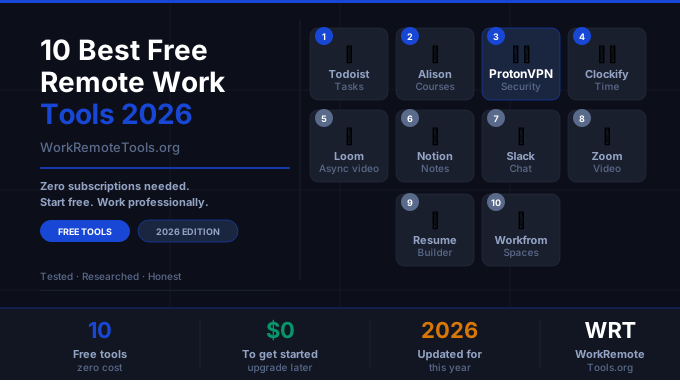
10 Best Free Tools Every Remote Worker Should Be Using in 2026
Remote work doesn’t require a $300/mo software stack. Some of the most useful tools for working from home have genuinely good free plans — not crippled trials, but free tiers that are useful indefinitely. Here are the ten I’d install on day one.
I’ve used every tool on this list as part of my actual workflow. The selection criteria: the free plan has to be useful without a paid upgrade, the tool has to solve a real problem for remote workers, and it has to still be actively maintained in 2026.
The cleanest task manager available. Type “submit report every Friday at 9am” and Todoist parses the task, the recurrence, and the time automatically. No clicking through dropdowns.
The free plan covers unlimited tasks, 5 projects, collaborating with 5 people, and 1 week of activity history. That’s enough for most freelancers and solo remote workers indefinitely. The design stays out of the way — it’s the rare productivity app that doesn’t make task management feel like a project itself.
6,000+ free courses from Google, IBM, Microsoft, and Stanford — used by 50 million learners in 193 countries. Completely free to study, with paid certificates if you want a credential to show employers.
The courses that matter most for remote workers: project management, IT fundamentals, digital marketing, business communication, and data analysis. Alison’s Resume Builder and Career Guide are also genuinely useful free tools if you’re repositioning for remote work or changing careers.
The only free VPN I’d actually recommend. No data cap, no speed throttle on free servers, genuine no-logs policy, open source and audited. Most free VPNs are worse than useless — they sell your data to fund the “free” service. Proton VPN is funded by paid subscribers.
The free tier limits you to a handful of server locations, but for basic protection on coffee shop and hotel WiFi it’s entirely sufficient. If you work from public networks regularly, upgrade to paid — but start free and see if you use it.
Free time tracking for unlimited users, unlimited projects, and unlimited clients. The free plan is genuinely complete — it’s one of the few tools where the paid upgrade is optional rather than necessary.
Useful for freelancers billing by the hour, remote workers who want to understand where their time goes, and anyone trying to build better work habits. The browser extension makes tracking passive once it’s set up.
Record your screen and face simultaneously, share a link. That’s the whole product. For remote workers trying to replace meetings with async communication, Loom is the fastest way to show someone exactly what you’re seeing or explaining without scheduling a call.
A 3-minute Loom answering a question replaces a 30-minute meeting that requires coordinating timezones. That math works out clearly if you’re on a distributed team.
Notion is where documents, databases, wikis, and project tracking live together. The free personal plan is unlimited pages and blocks — you won’t hit a limit unless you’re doing serious team collaboration.
The learning curve is real. Notion rewards investment — spend a few hours setting up your workspace and it becomes the hub everything else connects to. Use it for client notes, project docs, SOPs, and personal knowledge management.
The default team chat tool for most remote teams. If your employer uses Slack, the app is free to use. If you’re a freelancer or running a small team, the free plan covers 90 days of message history and 10 app integrations — enough to evaluate whether it works for you.
The privacy caveat: Slack (owned by Salesforce) stores your communications and metadata. If confidentiality is important, consider Brosix — an end-to-end encrypted alternative with a private network architecture.
Free Zoom: unlimited 1-on-1 calls, 40-minute limit for group meetings with 3+ participants. The 40-minute limit is real and you will hit it. But for quick standups, client check-ins, and 1-on-1s it’s entirely workable.
Google Meet is a credible free alternative with no time limit. Teams is free if you’re in the Microsoft ecosystem. The reason Zoom stays on this list: it’s still the most universally expected tool — clients and collaborators are more likely to know it than the alternatives.
Alison’s Resume Builder produces a clean, professional resume without needing an account. It’s completely free, downloads as a polished document, and doesn’t try to upsell you on premium templates.
Pair it with Alison’s Workplace Personality Assessment and Career Guide — both free — if you’re positioning yourself for remote work opportunities or considering a career pivot. The personality assessment gives you a professional profile you can reference in applications and interviews.
A crowd-sourced database of coffee shops, libraries, coworking spaces, and other venues rated for remote work. Filters for WiFi speed, noise level, power outlets, and general remote-work-friendliness.
Useful if you’re regularly working from public spaces and want to avoid the experience of showing up somewhere with terrible WiFi or no available power outlets. Coverage is best in major US cities but has international listings too.
Flowlu is the all-in-one business platform that freelancers and small remote teams keep discovering when they get tired of juggling five separate tools. It combines CRM, project management, invoicing, knowledge base, and team collaboration under one roof — and the free plan is generous enough to run a real operation.
The free tier covers 2 users, unlimited contacts, and core CRM and project features. If you’re a freelancer managing client relationships and projects simultaneously, this eliminates the need for separate tools for each job. The learning curve is moderate but the payoff is significant once everything is in one place.
SE Ranking is the SEO platform remote freelancers and content site owners actually use day-to-day — without paying Semrush prices. Keyword research, rank tracking, site auditing, competitor analysis, and backlink monitoring all live in one dashboard that doesn’t require a PhD to navigate.
The free trial gives you full access to every feature for 14 days. If you run a blog, an affiliate site, or do SEO work for clients, the paid plans start at a price point that makes sense for solo operators and small teams alike.
How to Build Your Free Remote Work Stack
You don’t need all ten on day one. Start with the ones that solve your actual problems right now.
The Minimum Viable Free Stack
Add video calls (Zoom or Google Meet) based on what your clients or employer uses. Add Slack if your team is already on it. Use Workfrom if you regularly work from public venues.
Stack these with the right gear. The tools above won’t help if you’re on a $30 headset that sounds terrible on calls. See our home office gear guide for the hardware picks that actually matter, or check the deals page for current discounts on headsets, monitors, and keyboards. For the full remote work toolkit — paid tools included — see our curated resources guide.
Frequently Asked Questions
All of these are genuinely free indefinitely — not time-limited trials. Some have paid upgrades for more features, but the free tiers are functional without upgrading. Todoist, Clockify, Notion, and Alison in particular have free plans that cover most individual users’ needs permanently.
Start with Todoist for task management and Proton VPN for security — these two solve universal remote work problems immediately. Add Loom if you’re on a distributed team, Notion if you need a central place for docs and notes, and Clockify if you bill by the hour or want to track where your time goes.
Yes. Proton VPN free is one of the few genuinely trustworthy free VPNs. It’s open source, independently audited, based in Switzerland, and has a verified no-logs policy. It’s funded by paid subscribers, not by selling your data. The only limitations are server selection and connection speed on the free tier.
Disclosure: Some links on this page are affiliate links. WRT.org earns a small commission if you sign up through our links — at no extra cost to you. We only list tools we’d actually recommend. Full disclosure →